Nokia set to roll out its booklet through Best Buy stores along the same time with the release of new Windows 7
The Nokia Booklet 3G is here with a bang. It is all set to debut around the time when Microsoft will be releasing its new operating system, Windows 7. The Nokia Notebook will come loaded with Windows 7 after the Windows 7 release date i.e. October 22, 2009. It comes at a subsidized price, $299 with an added 2 year data plan from telecommunication giants, AT & T. It will be made available at all Best Buy stores across the U.S.. This announcement from the Finnish phone maker comes with a relief for customers. When the product was first disclosed in September, it was priced at an astonishing $820. This was quite an exorbitant sum as Notebooks comes for less than $500 these days.
One can also notice that Nokia has a tie-up with AT&T for a two-year service agreement which gives more feasibility to the subsidized price. There are offers coming from Best Buy as well. It plans to come up with the unique 'Walk Out Working' scheme, which will enable the customer to get his product activated and working before he leaves the store. For anyone who purchases the Booklet 3G, sales associates will configure and activate the Notebook. Nokia has kept the screen size at 10.1-inch and its Notebook has almost all the features that are available on Notebooks. It has an Atom processor, a built-in GPS , a 12-hour battery life, an aluminum casing, 3G and Wi-Fi wireless capability and height and weight specifics of 1 inch and 2.5 pounds.
There are added features on the Notebook such as Nokia Music for PC and Nokia's Ovi Suite 2.0. There is also an aggregator coming from the feeds from social networking sites such as Twitter, Facebook etc. with its Ovi Maps and Social Hub application. Customers can also get the notebook without the option of opting for the two-year service agreement from AT&T. This option, however, comes for the an unsubsidized price of $599.
Nokia releases Nokia Booklet 3G with Windows 7

Windows 7 - The new Operating system
Windows 7 is a latest version of windows operating system. It contains features of Windows XP and Windows Vista, available for both client and server version. Windows 7 will be available in 32- and 64-bit versions and offer enhance remote management for the enterprise and offer a better experience for laptops users. Windows 7 built with great compatibility of the windows operating system; there are millions of latest applications which are easily associated with it.
Microsoft has reported that the new Operating system will contain better performance and improvements over the current Windows Vista. This may be a point for some businesses to move to the new Operation system. Vista has had its problems with adoption by the majority and businesses. The much-awaited new version of the Windows OS really needs to live up to the hype to succeed.
The goal of the Windows 7 is make it more users friendly, provides Intuitive user interfaces are expected such as speech recognition and digital ink. Another main goal for Windows 7 is security. Windows 7 will provide more security and functions that will protect the user's files and data. The predictor says that Microsoft will provide a subscription service with the new operating system which will help users in accessing their files and settings from other computers. This will extend Windows Seven, much like the current Microsoft Desktop Optimization Pack (MDOP), which is currently available to Microsoft's Software Assurance customers.
It is a bit unclear how Microsoft came up with the name "Windows 7." If you count all Windows starting from Windows 1.0, it should be Windows 11.
Windows 1.0
Windows 2.0/2.1
Windows 3.0/3.1
Windows 95
Windows 98
Windows ME
Windows NT
Windows 2000
Windows XP
Windows Vista
Windows 7
Many test has been performed to test Windows 7. In the tests done by LifeHacker, Windows 7 is taking the same amount of time to boot as Windows XP takes which is around 20% faster than Windows Vista. Now that is something what we are looking for.
Windows 7. Yes, it's undeniably catchy. Now we just have to see how the OS itself shapes up...
Technologyb2b introduce you with the latest buzz on new tech world. It is the right place to discover and shop tech stuff. The high tech stuff that we will cover here includes Desktop, laptops, software and hardware products, HDTV, home theater, and gadgets like (PDAs, cell phones, digital cameras, iPod) and even tech books also. It is the place to find hottest software and hardware and coolest gadgets.
Experimenting Series of Microsoft Operating System - Windows 7 Professional
Features
After experimenting with a series of operating system form Microsoft and others, I have concluded that there is no alternative for Windows 7 Professional in the present date. Once, I had installed it I took a sigh of relief as it is much stable and user-friendly and miles away from software conflictions. I am pretty much sure that its features, like JumpList, Aero, HomeGroup, Domain Join and XP Mode are enough to challenge any OS.
Usability
Windows 7 Professional has simplified my task. Now, I can easily connect my PCs at home to share files, music, video and even my printer without any hassle. Earlier, it was never possible without help of technicians. In addition, I can maintain my privacy too with the password protection feature. I don’t face difficulty while working with multiple Windows because Aero Shake minimizes unessential applications within an eye blink by just shaking them with the mouse. I can access file located in remote section of my computer network easily and quickly with smart search of Windows Search option. When I just enter an alphabet in the search box, it gives a list of relevant files. It was never so easy with Windows Vista’s “Instant Search.” With the Tab Group feature in Internet Explorer you can easily manage multiple tabs, which was not possible in earlier versions of IE. Hence, it’s a totally a never-before experience with Windows 7 Professional.
Limitation
Although, I have a good experience with Windows 7 Professional, but I think Microsoft should have been a bit liberal with the users on the compatibility front. I faced issues while doing custom install on one of my old computer. It showed software conflicts a number of times, when I had to do install device drivers.
Conclusion:
Above and all, Windows 7 professional is a good presentation from Microsoft. There are some new features, which will be soon adaptable for me. I liked it mostly on account of its enhanced performance with least of software conflicts and strong security features, which were tough challenge in earlier versions.
Strengthen user experience with Windows 7
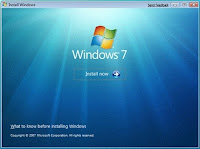 Windows 7 is expected to prove as one of the best operating system released by Microsoft as unofficial beta version fulfills the promise of being good. Though the percentage of the users who thinks that Windows Vista is good is less but there are users who believe that Windows Vista is far more stable and usable operating system than XP.
Microsoft released and made available beta and one release candidate for public testing process for Windows 7 which is the largest shareware trial period offered by any and it does not prove to be irritating as Vista was. Microsoft is providing the users with six versions of Windows 7: Starter, Home Premium, Professional, Ultimate, OEM, and Enterprise but basically three versions are being promoted by Microsoft Research Redmond that are Home Premium, Professional, and Ultimate.
According to the users experience, approximately all seems to be completely satisfied with beta version and it appears that in Windows 7 Microsoft has tried to built on Windows Vista strengths and addressed most of its weaknesses. Windows 7 installation is not a problem at all and it boots too quickly. In addition to its main partition, Windows 7 is also provided with 200MB partition that reduces the anxiety of the user by availing them extra space to store data without using any external drive.
Both 32-bit and 64-bit systems will be supported by Windows 7. The minimum system requirements for the 32-bit include a 1 GHz processor, 1 GB RAM, 16 GB available hard-disk space, and a DirectX 9 graphics device with WDDM 1.0 or higher driver whereas 1 GHz processor, 2 GB RAM, 20 GB of free space on your hard drive, and a DirectX 9 graphics device with WDDM 1.0 or higher driver will be required by 64-bit system. Many ways to install Windows 7 has been offered by Microsoft. Computers are coming with installed operating system, the user can upgrade from Windows XP or Vista, or can do a clean installation. And if you are in a dilemma if your computer would support Windows 7, download and run Windows 7 Upgrade Advisor to check the compatibility.
The desktop performance is very much enhanced in Windows 7. Many reports that are released and states that Windows 7 is faster than Vista seems to be true. As far the users experience, they are facing no problem in installation and in launching applications, downloading files, in web browsing and doing other tasks. The one of the selling point of Windows 7 is the more flexible and less irritating User Account Control (UAC). Microsoft has reduced the actions that prompt you resulting it making less annoying for the users. Microsoft has done many changes but the biggest change is the User Account Control “slider” setting which results in less annoyance and more security. But if you want it as it was you can easily do it with Windows 7 new Action Center.
Windows 7 is already coming with pre-installed anti-spyware package which provides security and defend your PC against malicious malwares. Microsoft has made Windows 7 more simplistic which provide unified experience to the users for common tasks. Business users, who rejected Vista and still working on XP, need to check how new operating system works in their environment.
Enhanced Firefox for Windows 7

Things move speedily online, and Firefox has made the engine that can run to make sure you can keep up: Firefox 3.5 is more than twice as fast as Firefox 3, and ten times as fast as Firefox 2. As a result, Web applications like email, photo sites and your favorite social networks will be more responsive.
Firefox 3.5 offers several enhanced features:
Security and Privacy
When this feature is enabled, you won’t leave a single browsing fingerprint behind for others to discover. If you give a second thought about having visited a certain Web site, this feature, you can remove every trace of that site from your browser. Firefox protects you from viruses, worms, trojan horses and spyware. If you accidentally access an attack site, it will warn you away from the site and tell you why it isn’t safe to use. Clear all your private data or just your activity over the past few hours with a few quick clicks. You have full control over what to delete, and then your info is gone for good—on your own computer or the one at your local library.
In another development, To Windows 7 users of the new beta release of Firefox, three new features are available to them. Firefox 3.6 beta 1 introduces improved previews for both the new Windows 7 taskbar and the tabs.
The taskbar previews for tabs delivers Firefox into parity with Internet Explorer 8 which allows users to see and choose their open tabs via Aero Peek. The limitation with this feature is how it effects the display when you've got a high number of tabs open. As you open more tabs, their preview panes would shrink.
Others will require a bit of fiddling while the taskbar preview will work without manually changing settings in about:config. Therefore, they're not recommended for new users, or for those who just aren't comfortable tweaking the about:config.
As long as you have three or more tabs open, the improved Control + Tab will show you a preview window of your tabs. To activate it, go to about:config, search for browser. ctrlTab. Previews, and to change it from False to True, double-click on it.. Then restart Firefox, and the CTRL+Tab hot key will give you Aero-style preview pane of your tabs.
A revision to the List All Tabs feature provide it a visual component mimicking CTRL+Tab. Using Control + Shift + Tab combo, you can pull up a CTRL+Tab tab preview window that combines a search box. As you type in the name of the tab you want to call up, it will filter the tabs. Enter or the left mouse button will take you to the tab directly. To activate this one, go to about:config, search for browser.allTab.previews, and double-click on it to change it from False to True. Then restart Firefox.
You can also disable the Windows 7 taskbar preview by going to about:config, search for browser, Taskbar, previews, enable, and double-click on it to change it from True to False.
Remember that this is a beta and be prepared for Firefox to break compatibility with many add-ons.
Major applications in Windows Media Center
A favorite band probably spend a good bit of time conceptualizing on their album art. Pay credit to this creative innovation, and give the media center something to show when these tracks are playing, by embedding album art in the MP3 collection. A trial was put through the basics in the 2007 guide to beating your MP3 library into shape , and the best sources and tools for Windows, Mac, and Linux systems in a 2008 album art guide. Any tool used, having album art consistent across a library might feel a bit obsessive. There's a certain assurance payoff when the TV displays similar art as an iPod.
Another thing is that commercials are worth their short time commitment, but at times you just want to watch exactly 24 minutes of pure television. So one would like to have the option of removing commercial ads from recorded TV. Windows 7 Media Center plug-in Lifextender does the trick inside your hooked-up PC, while DVRMSToolbox runs through Media-Center-recorded files on its own, and can then export them to more generally usable formats than Windows' locked-down system.
Boxee is the basic XBMC media center application with a different look and an enhanced social flair. It also has the ability to support a lot of independent content creators and independent developers, whether by the official App Box, by adding repositories of new apps, or through stand-alone RSS feeds. Great sources for Boxee application have been covered and content in a quick Boxee guide.
There is also the provision for renaming files so that a user can easily identify them in Windows 7. Media player applications also try their best to find out exactly what TV shows and movies you've got into storage, but then they tend to have a hard time keeping up with the naming schemes deployed by a variety of applications and error-prone humans. Grab an application like MediaRenamer (for movies and television) or TV rename and beat your files into a shape that XBMC, Boxee, Windows, Plex, or any other media center can figure out easily.
The next major feature is the ability to plug-in Hulu into the Windows 7 Media Center. It's is,neverthless, not an officially supported streaming site, like Netflix or CBS, but Hulu's own Hulu Desktop that can be worked into Windows Media Center with a tricky little back-and-forth plug-in. Install Hulu Desktop Integration. One can get an icon for Hulu among your video options. One will will to simply click on it, and Windows Media Center shuts down by itself, it opens up Hulu Desktop; when one is done with the task of watching Hulu, the application than closes that down and re-opens Media Center. This is really something that is clever and also at the same time very helpful.
Ripping DVDs could have never been easier than this with the new Windows 7 Windows Media Center. Instead of finding out halfway through the final disc of The Lord of the Rings ; The Twin Towers that your Netflix disc is scratched and repairing it is beyong you, one could rip the suspect DVD to a digital file and play it from there, all this possible with just a small skip. A tool has been built called DVD Rip to make it a really simple process in Windows, but it's quite easy to pull off with HandBrake or VLC Media Player on Windows, Mac, or Linux systems.
Goal of Microsoft - Windows 7 Everywhere
Microsoft officially launched its long-in-development Windows 7 operating system in New York City on Oct. 22. Although Microsoft became a giant by focusing on many of the new functionalities in Windows 7 but the questions is how fast businesses running Windows XP may upgrade to Windows 7, and what Microsoft’s competition will do in response.
Few years back, Bill Gates revealed Microsoft philosophy that saw a computer running Windows on every desk and in every home. During the Windows 7 launch in New York City on Oct. 22, Microsoft again rolled out that philosophy that Windows running not only on PCs, but also smartphones, televisions and virtually everything else sprinkled through a home or office with a screen.
The official demonstrated Play To, which lets a Windows 7 PC stream various media - including digital photos, music and video - to a handful of screens around a house. He also manifested HomeGroup, a feature that supposedly streamlines home networking and make processes easy such as plugging in devices. He also suggested that, despite of economy slowdown, around 300 million PCs will be sold this year in the U.S., before rattling off the various form-factors that customers could select: netbooks, ultra-thins, traditional notebooks, desktops, and the all-in-one style of PC. The ultimate goal of the company is to make Windows computing into every facet of peoples’ lives.
Since the release of Windows Vista three years ago, the operating-system landscape has changed significantly. Although a number of initial user complaints about Vista were settled by that platform’s later service packs. During Vista failure, Apple was able to gain a few points’ worth of market-share. Although the executives have abolished those gains as virtually a rounding error in Microsoft’s dominance of the market of the operating system.
In addition to Apple, Google is also a potential threat to Microsoft which also faces the prospect of competition from Google, whose Android OS is being slowly announced onto netbooks, and which is supposedly producing Google Chrome OS, a strong browser-based operating system, for launch on low-powered laptops sometime in 2010. These alternatives, along with omnipresent Linux, may not be eating substantially into Microsoft’s operating-system market share, but they remain forewarning of a possible future to which Microsoft seems bound to react.
Microsoft has been taking more and more of its core products to the cloud, as part of that reaction. Office 2010, the next generation of its productivity suite, will include stripped-down, cloud-based versions of Word and other programs, which are accessible through Windows Live. And, Windows 7 has been architectured to interact increasingly with the Web.
Now the question arises that how quickly the enterprise and SMBs (small- to medium-sized businesses) working on Windows XP will be willing to migrate their IT infrastructure to Windows 7. The Microsoft officials are probably wondering the same, even if their product proves to be a hit with consumers, what its rivals will be doing to up the competition.
Windows 7 Will succeed in Business
Windows 7 could be the most successful business operating system since Windows XP. It can be think that Windows XP, which has been admitting on for so long in so many businesses, was a bad thing. Firms stayed away from Vista in droves because of its bad reputation. They ended up saving themselves time, money, and headaches by executing an aging albeit finally stable operating system. If they had connected to Vista, it can be surprising that if the experience would have been so terrible that they might have asserted off Windows for good.
Their veneration to Windows XP works in Windows 7 favor in another way. Some companies seem ready to acknowledge that Windows XP’s time has passed. It’s good for older and lower-powered hardware, but these systems may not meet today’s computing requirements. Applying on to this hardware and the aging operating system for any longer might looks like some kind of lunatic devotion.
One of the reasons for this change in sensing is because there’s been a solid year of positive word of mouth. If you’ve heard Windows 7 story before, it rammed exactly once on me in 12 months and some only came upon one hardware incompatibility which Microsoft solved quickly. It’s a fairly common tale and it’s increasing confidence not just in the consumer market, but with all the IT managers who are trying to compute out what comes after Windows XP.
What’s truly shocking is that this is happening as Microsoft gives no simple upgrade path for Windows XP users. Ah, but then another vital factor comes into play. When a business holds on to hardware for so long it means that it contributes virtually no capital value to the business and is probably expendable and most of it is too old to hold an operating system upgrade. For example, 5-year-old laptops are likely on their second or third battery and have been through at least one hard drive swap. The screens are old-school and some of the motherboards have broked because employees insist on carrying them with one hand usually during only holding a corner.
As a result, IT managers who haven’t purchased new systems in years will make them a major part of their 2010 budget proposal. They’ll do a wholesale connection to Windows 7, without concerning about migration issues. Windows 7 is not a fundamental paradigm shift away from Vista or even all Windows that have come before it. Many of the familiar images are still there and a little digging always brings you back to the recognizable Windows dialogues like Device Manager, Services, etc. This is not a bad thing. IT managers appreciate the fellow. They also like operating systems that have been road-tested. Here’s where Vista may actually have been a plus. See, it is mostly referred to Vista as the 3-year beta test for Windows 7. IT managers are understand to this concept. Hardware drivers, in particular, were worked out for Windows 7 because Microsoft’s partners had 3 years to work them out for Vista.
New Windows 7 faults
Microsoft has launched security advisories on two efforts that affect its newest operating system, Windows 7. One defect could let hackers carry out code remotely, the other could let them send a system into a crash spiral. The tapped code has been published on the Web. No fixes controlled in Microsoft’s latest Patch, which was issued less than a week ago, aimed at new Windows 7. Windows 7, which was publicly launched on Oct. 22, has been hit by at least two security defects.

One of these lets hackers run code remotely the other lets them activate an infinite loop remotely, causing a kernel crash. SMB, or Server Message Block, is a Microsoft file-sharing protocol used in Windows. It is mostly used with the NetBIOS transport protocol over TCP/IP. SMBv2 is a major rewrite of the SMB protocol, using different packet formats from SMBv1 and adding many improvements. Microsoft posted Security Advisory 977544 on Nov. 13, which stated the firm is investigating reports of a possible denial of service fault in the SMB protocol. The vulnerability affects Windows 7 executing on 32-bit and x64-based systems, and Windows Server 2008 R2 running on x64-based and Intel Itanium-based systems. The vulnerability may be used through Web transactions using any browser, the security advisory stated.
However, hackers cannot use the vulnerability to take control of or install malicious software on a user’s system, the advisory noted. Microsoft is growing a security update to address this vulnerability, although it rejected comment on how critical this defect is. This effort is more of a nuisance than anything else. It involves tricking an end user to click on a link to a server with a poisonous configuration, and it only locks up one machine. An assaulter who goes through the trouble of tricking users to click on a link will use an exploit that permits him to control the target machine after execution.
Someone also pointed to a National Vulnerability Database listing of a tap in the kernel that permits remote SMB servers cause a denial of service in computers executing Windows Server 2008 R2 and Windows 7. This attack comes through an SMBv1 or SMBv2 port containing a NetBIOS header with an incorrect length value, the listing stated. The kernel fault is under review for inclusion in the Common Vulnerabilities and Exposure (CVE) section of the National Vulnerability Database.
It was detected that both defects while working on other issues with Microsoft and other vendors, launched the information to make sure Microsoft admits security issues and patch the flaws as soon as possible and with transparency. This bug can be activated from outside a user’s local area network by hackers using Internet Explorer. The bug is so noob, it should have been spotted two years ago by the SDL if the SDL had ever existed.
SDL is the Security Development Lifecycle, it is part of Microsoft’s Trustworthy Computing Initiative. The SDL is useful, and gives more secure software to users, but in this case it failed, as Microsoft likely centred way too much on Internet Explorer and the Office suite, and critical services execute with kernel privileges such as SMB are not well covered by this process. Software development is a process, it’s impossible to completely avoid all exposures while software development. Microsoft’s SDL process is specified to lower the number of vulnerabilities in software as well as reduce the severity and affect of the ones that occur.
Antivirus Support
Why Prefer Windows 7 Over Vista
Many of my relatives and friends completely denied to make the switch to Windows Vista when it was released. Some who purchased new machines with Vista installed immediately downgraded the OS. A few said that they would give up XP only when you pried it from their cold, dead hands. But even in the last category, many of them are impressed with what they’ve seen in the Windows 7.

Reasons why to choose windows 7 over windows vista
While some tech professionals are saying Windows 7 isn’t really all that different from Vista and indeed, one of the plus point for Vista users is that Windows 7 can generally use the same drivers and run the same applications as Vista.
Microsoft redesigned the UAC in Windows 7. Most of the people feel this on-going effort has been successful.
Microsoft has reduced the actions that prompt you making it less annoying for the users. The software giant has made several changes, but the biggest change is the User Account Control “slider” setting which results in less annoyance and more security.
User Account Control safeguards your computer against hackers and protects it against malicious software. The tool prompts the user for the permission, if any application wants to make any changes to your computer. UAC is more flexible in Windows 7 than in Windows Vista. Now, every task doesn’t require your consent in Windows 7, and if you have administrator privileges, you can easily fine tune to UAC’s notification settings from the control panel.
Vista made the left navigation pane in Windows Explorer a constantly moving target. As you navigate your mouse, it will automatically scroll back and forth.
You can avoid the auto-scrolling by dragging the pane to make it wide enough to accommodate the entire tree.In Windows 7, the navigation pane stays still, so you no longer risk getting seasick from all the swaying back and forth.
In Windows XP, you could use pretty much whatever graphics cards you wanted for multiple monitors. According to reports, that to use multiple graphics cards, you would have to all use the same driver. That meant I couldn’t use cards from different vendors together. I had to shell out a few bucks to get more ATI cards before I could use all my monitors again.
According to reports, Windows 7 has added support for multiple heterogeneous graphics cards from different vendors. Now this probably doesn’t mean you can combine ATI and NVIDIA cards in an SLI-configuration, but it sounds as if we can have our multi-vendor multi-monitor setups back.
Another common issue about Vista has been the inordinate amount of time it can take to boot up. This might not be a problem for those who leave their systems on all the time, but if you shut down your system every night, waiting around forever for it to get started in the morning can turn into a major annoyance.
A Microsoft official indicated that the company’s goal for Windows 7 is a 15-second boot time, whereas three quarters of Vista users report boot times of more than 30 seconds.
Why Dumping Vista For Windows 7
Today, Vista users can finally scrap the clunky and lazy operating system for Windows 7. Admiration for the new version has already started coming in from Windows 7's early adopters and reviewers.
Here are some of the reasons why you should install Windows 7.
Install
Before installing, you should run the Windows 7 Upgrade Advisor to make sure that your laptop is ready for the upgrade.
Next is the tough part as it needs patience which is upgrading. Upgrading takes over an hour along with several required restarts. Everything that was on my machine before the upgarade remained untouched, except that it didn't had fewer programs pinned and Quick Launch applications.
Exploring the Redesigned Desktop
With Windows 7, it is easier to work on desktop. It comes with three powerful features named Aero Shake, Aero Peek, and Aero Snap. The user who works on modem operating system often complaints about the hassle of juggling of too many windows. Aero peek helps the user by showing the desktop field in the right of the taskbar and displays the outline of the currently open windows, which is mostly the cause of chaos. It provides you with the power of X-ray vision which allows you to peer past all your open windows to the desktop. Point to the taskbar and it will reveal all your hidden icons and gadgets. You can check out for the two new related features that are Aero Shake and Aero Snap.
Some of the interesting windows management scenarios that have been introduced in Windows 7, Aero snap feature allows you to position your windows effortlessly, the way you want. Aero snap help reduces the number of clicks that are needed to perform simple activities. It provides you with refreshing desktop experience. Resizing windows take a lot of time, it requires mouse clicks, re-size action, careful arrangement and windows switches. Now, it is much easier to accomplish windows with the easy motion of the mouse.
New desktop backgrounds and wallpaper are included that ranges from supreme degree to the silliest. And, if you generally get bored with your desktop then there is a new option that allows you to create a desktop slide show, which displays a rotating series of picture.
Built-in Photo Editing
It looks like Microsoft — with Windows Live Photo Gallery — wants to step on the toes of photo management and editing apps like Google’s Picasa. The gallery not only lets you organize and manage all your photos, but also edit and post them online using your Windows Live Account right from within the application. Its editing features include auto adjust, resize, red-eye correction and all the usual staples found in any other photo application. If you work with photos all the time, you’ll probably prefer to use your existing tools, but if you only work with photos occasionally having these features on tap is very useful.
Search
Windows 7 has a enhanced search option which takes searching to a new level. You need to click the Start button and enter words into the search box. Windows 7 will search files, documents, emails and more. For more search options and filters, it can also take you to Windows Explorer. Of all the enhanced features in Windows 7, the lightweight and easy-to-use Search option surprises the most .
Performance
Performance of Windows 7 is faster in than Vista. It includes things like working with USB flash drives. Enhanced performance for both computer memory and USB devices alone puts Windows 7 ahead of Vista.
Windows 7’s improved performance and new features make it worth dumping Vista for good.
How to Upgrate to Windows 7 Smoothly?
Upgrade Windows 7 smoothly with proper set of hardware configuration.
Microsoft’s latest operating system is quite demanding as far as hardware configuration is concerned. It needs fast processor and lots of free available space, without with it may freeze during booting or may not install at all.
You can take assistance of Windows 7 Upgrade Advisor to see whether your system meets the minimum requirements. Get it downloaded from the official Microsoft website. You need following hardware for Windows 7 installation :
a) 1 GHZ or faster 32 bit or 64 bit processor
b) 1 GB RAM (32 bit)/2 GB RAM (64 bit)
c) 16 GB (32 bit) or 20 GB (64 bit) available free space.
d) DirectX 9 graphics processor with WDDM 1.0 or higher driver
From above, you can easily decide which version of the Windows 7 (32-bit or 64-bit) your system processor can support. And also the virualization mode is available on your system or not. This allows you to run Windows XP software in Windows 7 ‘Compatibility mode’.
Windows 7 can be downloaded from Microsoft’s own e-store or from a DVD. After downloading Windows 7 you can create a bootable USB drive. You can follow step-by-step instructions how to create a bootable USB drive. You can also make use of your friend’s external DVD drive.
Always follow the clean install for Windows 7. Take a back up of all your data to CD’s or DVD’s. In most simple way you can take a disk image of your XP machine.
However you can make use of Macrium Reflect and DriveImageXML software to take back up of your computer. This software runs on XP and creates an image of your hard drive on CD’s or DVD’s.
The Windows version which are available in different prices are – Windows 7 Home Premium ($120), Windows 7 Professional ($200) and Ultimate ($220). These are the prices as of July 2009. The 32-bit and 64-bit versions are included. For step-by-step instructions how to perform the upgrade you can visit Microsoft’s step-by-step Windows 7 Upgrade and Migration site.
After the complete installation of the OS and all application software, check if all your XP software will run on Windows 7. If any software does not run, enter the ‘compatibility mode’ by right clicking on the program icon and select ‘Properties’, then click ‘Compatibility’ tab. Next check the ‘Run this program in compatibility mode’ box. In the drop-down list, choose Windows XP. Remember your processor has to support virtualization mode as outlined in step 1.
If your PC can’t run in ‘compatibility mode’ you can install free virtualization software on Windows 7, such as Sun’s VirtualBox.
Microsoft To Launch Windows Mobile 7 In Early 2010
Microsoft has been quiet about its plans for Windows Mobile 7, but Microsoft could launch the long-awaited mobile operating system next year.
A new product called Office Mobile 2010 is described as a "mobile companion" for Excel, Word, Powerpoint, OneNote and Sharepoint in a presentation shown to partners. Microsoft has said that Office Mobile 2010 will run on Windows Mobile 7 and Windows Mobile 7 will be launched to manufacturing in early 2010.
Microsoft CEO Steve Ballmer's has said that Microsoft would ship Windows Mobile 7 sometime in early 2010. Also, Motorola CEO Sanjay Jha has said that Motorola will focus on Windows Mobile at the time of Windows Mobile 7 launch.
Windows Mobile 6.5 was launched by Microsoft in May 2009, but the devices with Windows Mobile 6.5 were not available until October 2009. Windows Mobile 6.5 includes features such as 'Touch-Screen' user interface and navigation.
Some of the Microsoft partners have been unhappy with Windows Mobile 6.5 and they are hoping that Microsoft can deliver a better mobile operating system than Windows Mobile 6.5. One partner of Microsoft has said that everyone is trying to hold their breath for Windows Mobile 7.
Windows Mobile 7 devices won't arrive until spring 2010 unless Microsoft finds some way to speed up the time between RTM and devices hitting store shelves and that could cause Microsoft to comedown further back in the smartphone market.
In some ways, the situation is similar to the one Microsoft now faces with Windows 7. Microsoft had to come through with a solid follow-up with Windows 7 after giving a calamity of Windows Vista. Scott Stanfield, CEO of Vertigo Software, expects the same pattern to hold true with Windows Mobile 7 and also expects that Windows Mobile 7 will be well received as Windows 7 has been.
Windows 7 - Best of Microsoft
Windows 7 has demonstrated that it has been the dream operating system that Windows users expect from Microsoft for many years.
I know it is incredible for users of Windows XP and Win XP fans. Especially after the experience of Windows Vista, many XP users are disappointed with Microsoft and have lost their belief that Microsoft can manage to build a better operating system.
Windows 7 is the best operating system? What makes a better operating system?
Windows users are waiting for a faster system like Windows XP feel. If Windows 7 is faster. It has very good start to the star system. Its starting period is 30 seconds. When compared to the boot time of Windows Vista, XP users as this improvement in Windows 7.
It is to be a system fast enough to a better operating system? Of course not enough. For years, Windows is claimed to be a professional in the area unsafe. Hackers have attacked Windows systems for many years. With Windows Vista, Microsoft has shown how sensitive the security and data protection of its users and privacy versus black hat hackers. Internet Explorer 8 is in parallel with the way Windows 7 to build a safer environment for users.
Windows 7 has improvements over a relatively secure Vista against XP. This is the introduction of new security features for users to keep their data is safe and away from unauthorized hands.
What about stability? Is it stable enough to satisfy users of Windows?
Yes, Windows 7 is stable. I'm testing this new operating system (OS) since its first publicly available CTP (Community Technology Preview) releases. And I have yet seen the dead blue screen on my computer screen. Not even once. I know the feeling will cause a blue screen while working on an important issue or while playing an exciting game on the computer. But keep in mind my words, Windows 7 is stable so that you will love this version of Windows a lot.
Of course, Microsoft has left behind some mini-applications like DreamScene for the sake of stability. However, values of the parties. If you are using Windows on their office and who rely on this system for all their work on the computer, Windows Seven will make you very happy with his choice.
A further advantage of Windows 7 is for home users. If you have a thin team, I mean if your computer has a setting of low performance and hardware specifications, while Vista still can not work on it, Windows 7 will be adapted to work with the best performance on legacy settings .
The number of system services that Windows 7 is less dependent on Vista requires. This is a great advantage to the use of RAM. You can think of a Windows 7 as a new version of Win XP with its characteristics of resource use.
So please calm all fans of Windows XP. You will love this new operating system. Lucky Seven is the version for all Windows users. Fast, secure and thin, with better performance. Be prepared to adapt to the new Windows 7.


