Once the windows 7 operating system comes to the market ,it win a lot of people' popularity ,you are suely want to know about it ,and taking an concideratin to decide whether to change your former to experience the new,then the followings are for your reference:
Of all the Windows 7 versions, Windows 7 ultimate is the most powerful ,Since Windows 7 has several special features that the Stater, Home Premium, or Professional versions don't have.
Windows 7 Ultimate add new navigation features: Aero Shake and Snap, you can easily simplify everyday tasks using it . Aero shake allows you to focus on one window simply by selecting a window of interest and shaking the mouse back and forth. After this all other windows disappear, to reverse this effect simply repeat the process to make all the windows reappear. Another useful navigation feature is "Snap" which allows you to resize windows for comparison or greater ease-of-use just by dragging them to the edge of the screen. Using this method windows can be made to expand in any direction or even to take up the entire screen. These and other new navigation features included in Windows 7 make it quite simple to use while being productive as well.
The Windows 7 Ultimate OS also markedly improves on Windows Vista in several key departments making it far superior to its predecessor. It takes full advantage of 64-bit PC hardware and memory which is quickly becoming the standard in both the desktop and laptop industry. The OS is also designed to make your PC both sleep and resume quickly so you don't have to wait. It also consumes less system resources when running so that you are provided with a faster system for either work or play.
The best version of the newest operating system on the block has a whole lot to offer. Perfect for handling both professional and everyday tasks Windows 7 seems to have it all. If you're in the market for a new OS and require a blend of power, versatility, and user-friendliness the Ultimate Version of Windows 7 is probably for you. Correcting all the mistakes made in Vista and adding great new features has truly made Windows 7 Ultimate the operating system of choice.
Windows 7 ultimate protects your computer's data and portable devices against theft or loss and it also allows you to work in 35 different types of languages.
At last, if your computer does not the following points,You ' d better not install win7 system:
1 Processor-1 gigahertz (GHz) or faster 32-bit (x86) or 64-bit (x64) processor
2 Memory-1 gigabyte (GB) RAM (32-bit) or 2 GB RAM (64-bit)
3 Hard disk-16 GB available hard disk space (32-bit) or 20 GB (64-bit)
4 Graphic card-Direct X 9 graphics device with WDDM 1.0 or higher driver
Showing posts with label install Windows 7. Show all posts
Showing posts with label install Windows 7. Show all posts
Windows 7 Ultimate Special Features and Install Reviews

Windows 7 Install On Your Laptop Without losing Important Files And Settings
 Features and Usability
When I upgraded to Windows 7, it came to me as a nightmare because I was unable to install the compatible drivers and applications. My computer was almost unusable. However, with the support of a remote tech support provider, I am now happy with my decision to proceed with the Windows 7 installation.
Although, there are plethora of technical support providers, which are offering support program for Windows 7 installation, but I preferred the one, where I got the guarantee regarding the safe and secure migration. Now, I have my important files and setting with me under the new Windows 7 environment. This is the best deal, which I have ever made in my computing life.
I got registered with an organization for the technical support for complete 1 year. Along with the support for Windows 7 installation, they are also offering me other comprehensive tech support services, which include:
• Diagnostic & repair of hardware issues
• Troubleshoot software errors
• Update drivers and security to protect against online threats
• Connect to the Internet, devices and peripherals
• Optimize your PC’s speed and performance
Limitation
Although, tech support for Windows 7 is very helpful for giving best support, but if your computer is not well configured in terms of memory, processor, graphic card and other essential hardware components , then you can’t expect an overall good performance.
For smooth functioning of hardware devices and software applications on your computer, I would recommend to install only compatible devices and software application, which can be confirmed from Windows 7 Compatibility Center in Microsoft’s website. For getting real-time assistance pertaining to any hardware or software conflicts call your remotely enabled tech support provider.
Strengthen user experience with Windows 7
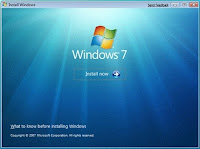 Windows 7 is expected to prove as one of the best operating system released by Microsoft as unofficial beta version fulfills the promise of being good. Though the percentage of the users who thinks that Windows Vista is good is less but there are users who believe that Windows Vista is far more stable and usable operating system than XP.
Microsoft released and made available beta and one release candidate for public testing process for Windows 7 which is the largest shareware trial period offered by any and it does not prove to be irritating as Vista was. Microsoft is providing the users with six versions of Windows 7: Starter, Home Premium, Professional, Ultimate, OEM, and Enterprise but basically three versions are being promoted by Microsoft Research Redmond that are Home Premium, Professional, and Ultimate.
According to the users experience, approximately all seems to be completely satisfied with beta version and it appears that in Windows 7 Microsoft has tried to built on Windows Vista strengths and addressed most of its weaknesses. Windows 7 installation is not a problem at all and it boots too quickly. In addition to its main partition, Windows 7 is also provided with 200MB partition that reduces the anxiety of the user by availing them extra space to store data without using any external drive.
Both 32-bit and 64-bit systems will be supported by Windows 7. The minimum system requirements for the 32-bit include a 1 GHz processor, 1 GB RAM, 16 GB available hard-disk space, and a DirectX 9 graphics device with WDDM 1.0 or higher driver whereas 1 GHz processor, 2 GB RAM, 20 GB of free space on your hard drive, and a DirectX 9 graphics device with WDDM 1.0 or higher driver will be required by 64-bit system. Many ways to install Windows 7 has been offered by Microsoft. Computers are coming with installed operating system, the user can upgrade from Windows XP or Vista, or can do a clean installation. And if you are in a dilemma if your computer would support Windows 7, download and run Windows 7 Upgrade Advisor to check the compatibility.
The desktop performance is very much enhanced in Windows 7. Many reports that are released and states that Windows 7 is faster than Vista seems to be true. As far the users experience, they are facing no problem in installation and in launching applications, downloading files, in web browsing and doing other tasks. The one of the selling point of Windows 7 is the more flexible and less irritating User Account Control (UAC). Microsoft has reduced the actions that prompt you resulting it making less annoying for the users. Microsoft has done many changes but the biggest change is the User Account Control “slider” setting which results in less annoyance and more security. But if you want it as it was you can easily do it with Windows 7 new Action Center.
Windows 7 is already coming with pre-installed anti-spyware package which provides security and defend your PC against malicious malwares. Microsoft has made Windows 7 more simplistic which provide unified experience to the users for common tasks. Business users, who rejected Vista and still working on XP, need to check how new operating system works in their environment.


